Princess Coloring Book Glitter
- 3.6
- Rating
- 1.00M
- Installs
- Free
- Price
 Analysis by App-foxy
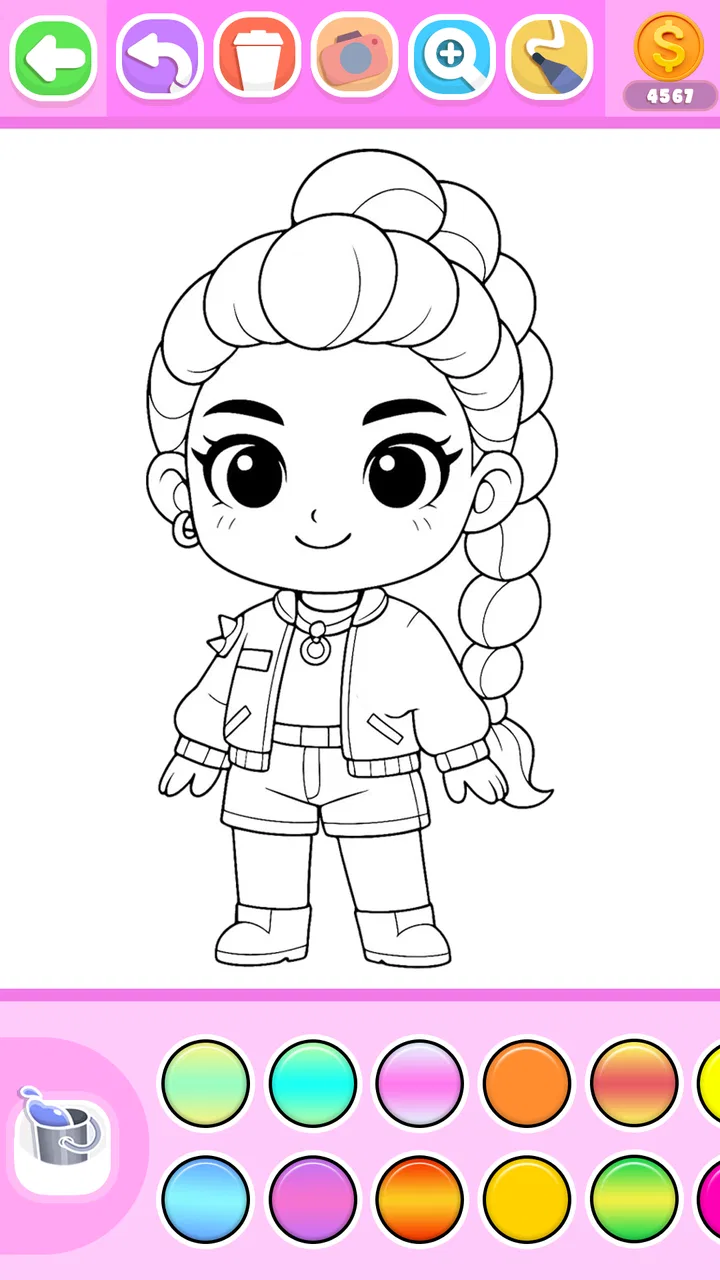
I tried Princess Coloring Book Glitter as a simple creative activity for a shared household device, and my first impression was clear: this is aimed at children who enjoy princess pictures, bright colors, and the instant satisfaction of filling a page with glittery effects. It is a free art and design app from FunKidStudio, rated for Everyone, and it has attracted over one million installs. That reach makes sense because the concept is easy to understand without a tutorial: choose a picture, select a color or decorative effect, and start filling.
What makes it worth considering is not artistic depth but accessibility. A child can open it during a quiet afternoon, on a short trip, or while waiting for an appointment and begin drawing almost immediately. I would not present it as a replacement for a full digital painting studio. Instead, I see it as a low-pressure coloring activity for younger users and for adults who want something uncomplicated to share with them.
How it works on a shared household device
In my experience, the app fits best into a family routine where one tablet or phone is used by several people. A younger child might color a princess scene after school, while an older sibling uses the same device for a different activity later. Because the basic idea is visual and familiar, there is little need for a long explanation before handing the device over.
You May Also Like

 Blood Strike: 2.5 Anniversary
Blood Strike’s Loadouts Turn Every Drop Into a Tactical Gamble
A close look at Blood Strike’s custom loadouts: how fast access to signature weapons reshapes its battle royale rhythm, rewards preparation, and narrows the gap between fights.

 Pandora - Music & Podcasts
Pandora’s Music Is Easy to Start, but Harder to Recover
Pandora’s strength is its low-effort path from a seed to a station. Its weak spot is how much confidence it asks you to place in connection, setup, and quiet recovery.

 8 Ball Pool
 Is Built on Rivalries, Rematches, and Routine
A close look at the rivalries, rematches, shared routines, and unanswered safety questions that turn a quick pool match into a persistent mobile community.

 Samsung Music
’s Quiet Strength Is Playing What You Already Own
Its reach comes less from spectacle than from dependable access to a personal library. That simplicity is both the app’s strongest retention engine and its ceiling.

 AccuWeather: Weather Radar
AccuWeather Review: A Quick, Clear Forecast for Everyday Decisions
For everyday plans, the best forecast is the one you can understand quickly. AccuWeather makes rain timing, radar, and local conditions easy to act on, with a few trade-offs.

 Hill Climb Racing
Why Hill Climb Racing Still Turns Crashes Into One More Run
A tiny car, a bumpy hill and one more upgrade: Hill Climb Racing keeps resurfacing because its simple chaos makes every near-miss feel personal.
More From Our News Desk



A realistic use case is a rainy afternoon when a child wants screen time but the household does not want another fast-moving game. The coloring format slows things down. I can imagine sitting beside a child, suggesting a color combination, then letting them make the final choice. That small distinction matters: the adult can participate without taking control of the picture.
The glitter theme gives the pages a more playful finish than a plain digital coloring sheet. It encourages experimentation because a child can try a bright effect without worrying about wasting paper or making an irreversible mark. At the same time, the visual style is quite specific. If the child prefers animals, vehicles, landscapes, abstract drawing, or realistic illustration, the princess focus may feel narrow after the novelty wears off.
For a shared device, I recommend agreeing on a simple turn-taking routine before opening it. Decide whose turn it is, how long the session should last, and whether the finished picture can be changed by the next person. This is not a feature of the app; it is a practical household habit that prevents the common argument where one child overwrites another child’s work.
What the first session feels like
The strongest part of the first session is the low entry barrier. A child does not need to understand layers, brushes, opacity, canvas size, or file formats. The activity is built around recognizable coloring behavior, so the learning curve is gentler than it would be with a general drawing application.
I also found that the glitter presentation can make a finished image feel more special to a young user. Even a very simple color choice can look like a completed project. That is useful when the goal is confidence rather than technical improvement. A child who becomes frustrated by blank-page drawing may find it easier to begin with an outlined princess image.
The trade-off is that the same simplicity limits creative control. Someone who wants to sketch their own character, mix custom shades, or build a composition from scratch will probably outgrow it. Conventional coloring apps with broader subject libraries may offer more variety, while professional drawing tools are much better for deliberate illustration. This app sits between a digital coloring book and a decorative casual activity, not at the advanced end of art software.
Setting boundaries before handing over the phone
Although the app is free to download, it includes optional in-app purchases ranging from under one dollar to several dollars per item. That is the detail I would address before giving a child unsupervised access to a shared device. The safest routine is to make purchases an adult decision and keep the device’s store protections active. I would not rely on a child understanding that a colorful locked item may involve a payment step.
There is also a useful distinction between access to the app and ownership of the device. If the phone belongs to a parent, a child should know that the parent may need it for calls, messages, navigation, or work. A coloring session should end cleanly rather than continue until the battery is low or another person needs the screen.
For younger children, I would start with a short supervised session. This is not because the coloring concept is difficult, but because shared devices carry other concerns: accidental taps, changing another person’s work, or moving into a purchase screen. Once the child understands the household rules, the adult can decide whether independent use is appropriate.
The application supports devices running Android 7.0 or later, which makes it usable on some older Android hardware rather than requiring a recent phone. Still, compatibility is only one part of the decision. An older device may have a smaller screen or less responsive touch input, and those limitations can make detailed coloring less comfortable. On a tablet, the larger workspace is generally more pleasant for small hands.
Coordinating several children without turning it into a competition
Coloring can become competitive when several children compare their pictures. I would steer the conversation toward choices instead of quality: one child might prefer a bright dress, another might use unusual hair colors, and a third might focus on glitter effects. That approach protects the creative purpose of the activity and avoids making the child with less precise touch control feel unsuccessful.
A practical method is to give each child a separate session and ask them to show the result before the next person begins. If the app allows the child to work on a picture directly, I would still avoid assuming that every image is preserved exactly as expected between users. For important creations, an adult can help capture the finished screen using the device’s normal tools, provided that doing so fits the household’s privacy preferences.
Another useful arrangement is collaborative coloring with one person choosing colors and another filling areas. This works particularly well with a younger child who is still developing hand control. The adult can offer suggestions without correcting every choice. The aim is shared attention, not producing a picture that looks professionally finished.
On a family device, I would also keep expectations modest about personalization. This is a focused princess coloring experience, not a household art archive or a multi-user studio. If children need clearly separated projects, named profiles, or organized galleries, a broader drawing platform may be a better fit. Here, coordination depends more on family routines than on formal account boundaries.
Age context and the question of trust
The Everyone rating matches the app’s child-friendly coloring concept, but an age label should not replace a parent’s judgment. Children differ in reading ability, impulse control, and how comfortably they use touchscreens. One child may handle the activity independently, while another may need help choosing a picture or understanding what a decorative option does.
I would be especially attentive during the first use because the app includes paid items. The creative content may be suitable for a child, yet the purchasing context still belongs with an adult. On a shared phone, it is worth checking who can access the device’s payment flow and making sure children know to ask before selecting anything that appears locked or premium.
Trust also includes respecting another person’s work. If siblings use the same phone, explain that opening a picture is not automatically permission to alter it. This is a small lesson, but coloring apps make it visible: a child can see immediately when someone has changed a favorite image. A turn-taking rule and a request before editing are more useful here than complicated technical arrangements.
The developer, FunKidStudio, presents a product that is easy to approach, but the average rating of 3.4 suggests that the experience will not satisfy everyone equally. I would interpret that as a reason to keep expectations realistic. The app’s appeal depends heavily on whether the child likes princess imagery and glitter decoration. A child seeking a large range of subjects or more advanced drawing tools may find the experience repetitive.
Where it beats ordinary alternatives
Compared with paper coloring books, the digital version is convenient when the family is traveling or wants to avoid carrying pencils and loose pages. There is no need to sharpen colors, replace a missing marker, or clean up scraps. The glitter treatment also adds a visual effect that is difficult to reproduce with ordinary crayons.
Compared with open-ended drawing apps, it is easier for a hesitant child to begin. A blank canvas can feel like a test, while an outlined princess picture gives the child a clear starting point. That makes this app a better choice for guided relaxation, short creative breaks, and children who enjoy decorating more than inventing an entire scene.
However, paper wins when the child wants a tactile activity away from screens. A general drawing app wins when the child wants to design original characters. A larger coloring platform wins when subject variety is the priority. I would choose this one specifically for the princess-and-glitter combination, not simply because it belongs to the art category.
Small habits that improve the experience
First, use a stylus only if the child already finds one comfortable; otherwise, a finger can be more immediate and less frustrating. Second, encourage the child to decide on a small color theme before filling the page. For example, they can choose two main colors and one accent, which turns random tapping into a simple design exercise.
Third, treat mistakes as part of the process rather than immediately taking over. If a child colors outside an area, ask whether they want to keep it as an effect or try again. The app is most valuable when it supports confidence, and constant adult correction can undermine that benefit.
Fourth, end sessions with a quick review: ask which area was easiest, which color combination worked, and what they would change next time. This adds a little reflection without making the activity feel like homework. It also helps parents discover whether the child enjoys the princess theme itself or simply likes the glitter effects.
Finally, keep the device’s brightness and sound at a comfortable level before the session begins. That is a household comfort issue rather than an app feature, but it makes a difference when a child is using the screen close to their face or when several people are sharing a quiet room.
Who should install it, and who should skip it
I would recommend it to families looking for a straightforward digital coloring activity for a child who enjoys princess characters and decorative sparkle. It also suits adults who want to sit with a child for ten or fifteen minutes and make something together without learning a complicated art program first.
I would skip it if the main goal is serious drawing practice, detailed illustration, broad subject coverage, or a carefully organized collection of separate user projects. I would also hesitate if the child has already lost interest in princess-themed content. The free price makes trying it easy, but free access does not guarantee that the theme will remain engaging.
The current version is 13, and the app was released on July 16, 2019. Those details place it among established casual coloring apps rather than a brand-new experiment. I would still judge it by the child’s actual response: if they begin coloring quickly and return to it willingly, the simplicity is doing its job; if they ask for more tools after one session, a broader alternative will be more rewarding.
My household verdict
After using it as a shared-device activity, I see Princess Coloring Book Glitter as a pleasant, focused option rather than a complete art solution. Its best qualities are the approachable coloring format, the playful glitter finish, and the way it gives a child a clear starting point without demanding technical skill.
The main limitations are equally clear: the princess theme will not suit every child, creative control is narrower than in a full drawing app, and adults should supervise the purchase boundary because optional items cost money. None of those points makes the app a poor choice, but they do define the right setting for it.
My recommendation is to install it when you want a calm, easy-to-share coloring session and can establish simple rules for turns, device use, and purchases. For a child who likes the subject, the best value is the confidence of finishing a picture without facing a blank canvas. For an aspiring young artist who wants to draw freely, I would choose a more flexible tool instead.
Overall, this is a modest but useful addition to a family device. I would introduce it with an adult nearby, let the child lead the creative decisions, and treat the glitter as a fun invitation to experiment rather than the whole reason to stay. Used that way, it earns its place as a short, accessible art break.
FAQs for Princess Coloring Book Glitter
01What is Princess Coloring Book Glitter?
Princess Coloring Book Glitter is a fun and interactive coloring app designed for children and fans of princesses. It offers a wide range of coloring pages featuring various princess themes, enriched with glitter effects to make the coloring experience more magical and engaging. Available on both Android and iOS, it's perfect for sparking creativity in young users.
02Is Princess Coloring Book Glitter free to download and use?
Yes, Princess Coloring Book Glitter is free to download. However, it may offer in-app purchases for additional coloring pages or special effects. While the basic version provides a delightful experience, these purchases can enhance the app with more features and content. Always check the app details for any potential costs before downloading.
03What age group is Princess Coloring Book Glitter suitable for?
Princess Coloring Book Glitter is designed for children, typically ranging from ages 4 to 12. The app’s interface is user-friendly and intuitive, making it easy for young kids to navigate without assistance. Parental controls and guidance are recommended to ensure a safe and enjoyable experience for all users.
04Does Princess Coloring Book Glitter require an internet connection?
Princess Coloring Book Glitter can be used offline once downloaded, which means children can enjoy coloring without the need for an internet connection. However, an internet connection may be required for downloading updates, accessing new content, or making in-app purchases. This flexibility is great for on-the-go entertainment.
05Are there any safety concerns with Princess Coloring Book Glitter?
Princess Coloring Book Glitter is designed with child safety in mind. It doesn’t contain any inappropriate content and provides a safe environment for children to explore their creativity. The app may include ads or in-app purchases, so parents should monitor usage and set up parental controls to prevent unauthorized purchases.
Pros
- Wide variety of coloring pages.
- Glitter effects enhance artwork.
- Easy for kids to navigate.
- Free updates with new content.
- No internet required for use.
Cons
- Contains in-app purchases.
- Ads can be intrusive.
- Limited color palette options.
- Glitter effect might lag on old devices.
- No option to save progress.

Princess Coloring Book Glitter
Gallery